
CowIQ
She has a plan.
An always-on advisor for your animals.
CowIQ turns herd data into a list of suggested actions, so tomorrow can be planned before you even leave the barn.
A breakthrough in clinical detection
CowIQ finds sick cows sooner and more surely, so treatment can start earlier, with fewer false alarms.
Up to 5×
More clinical mastitis cases caught for the same volume of alerts
3× fewer
False alarms on cows a vet examined and found healthy
1–3 days
Of warning before the farm records the case, for over half of the cases
Nearly 2×
Sharper at telling which heats will conceive
2×
The precision of the calving-soon list, with about a day more warning
Source: ENGS research, October 2026, on up to 86 farms and over 100,000 inseminations.
The work board
Your whole team's day, on one board.
Each job goes to a team or a person and a time of day, and every worker sees exactly what is theirs, on the web or in the app.
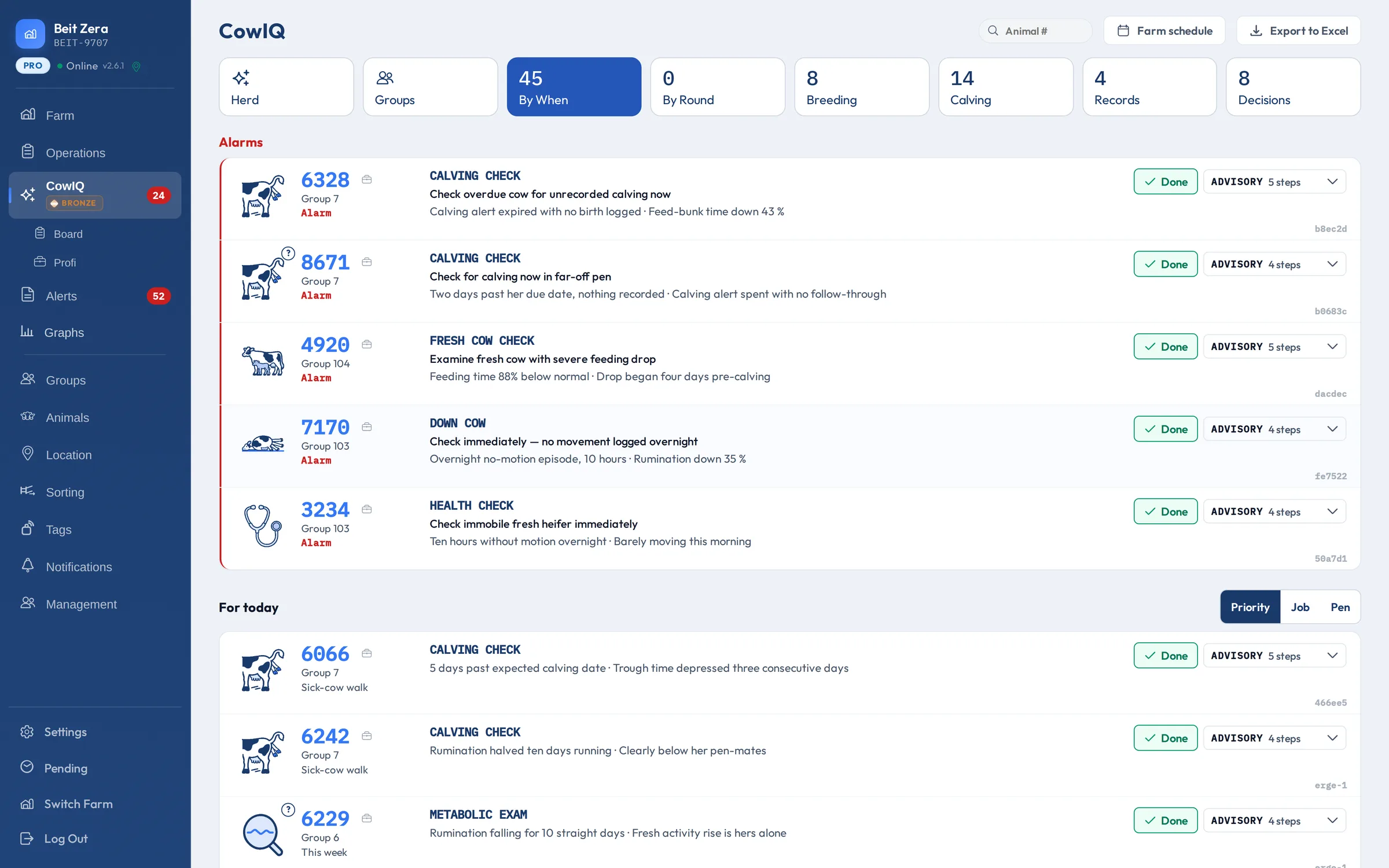
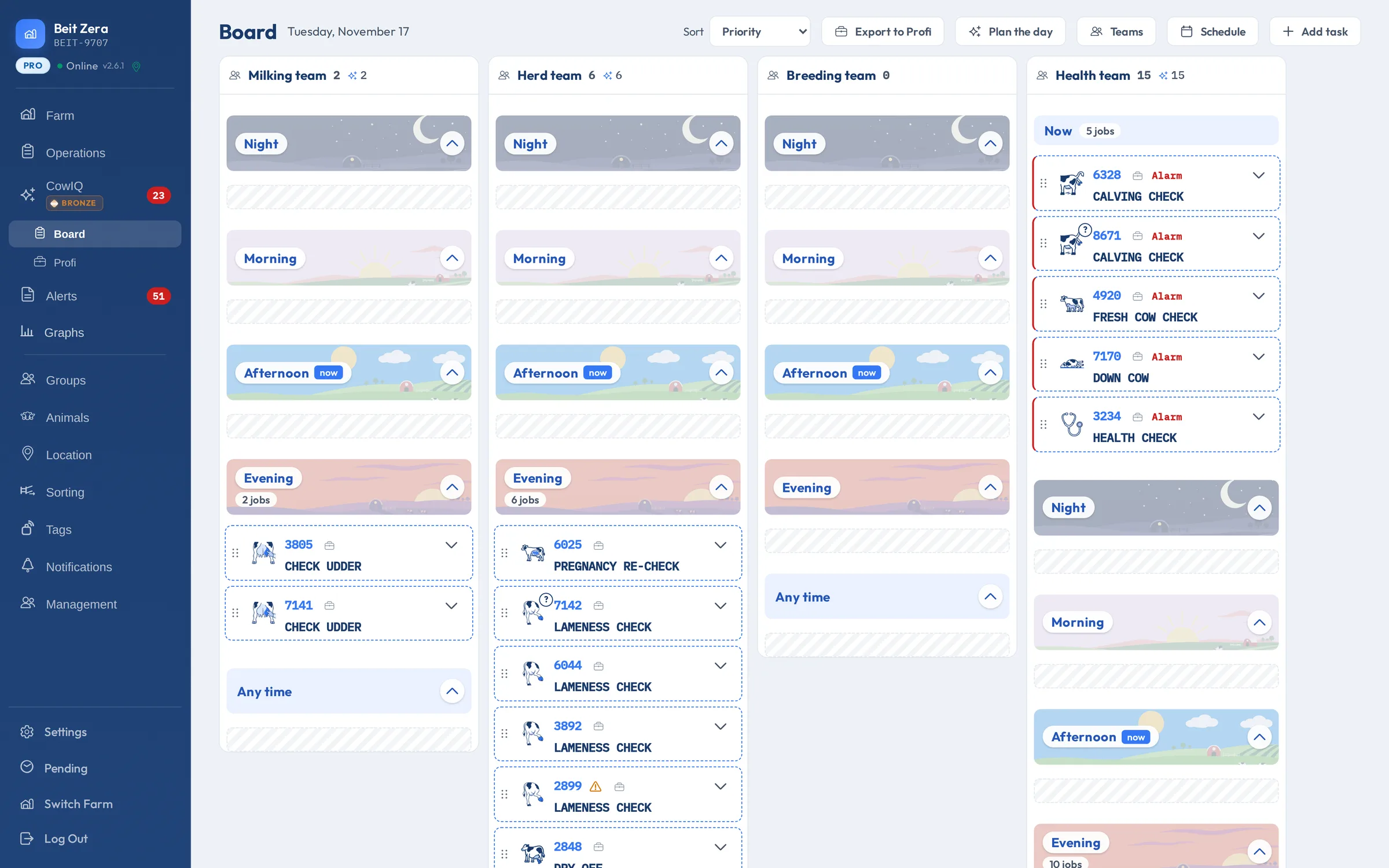
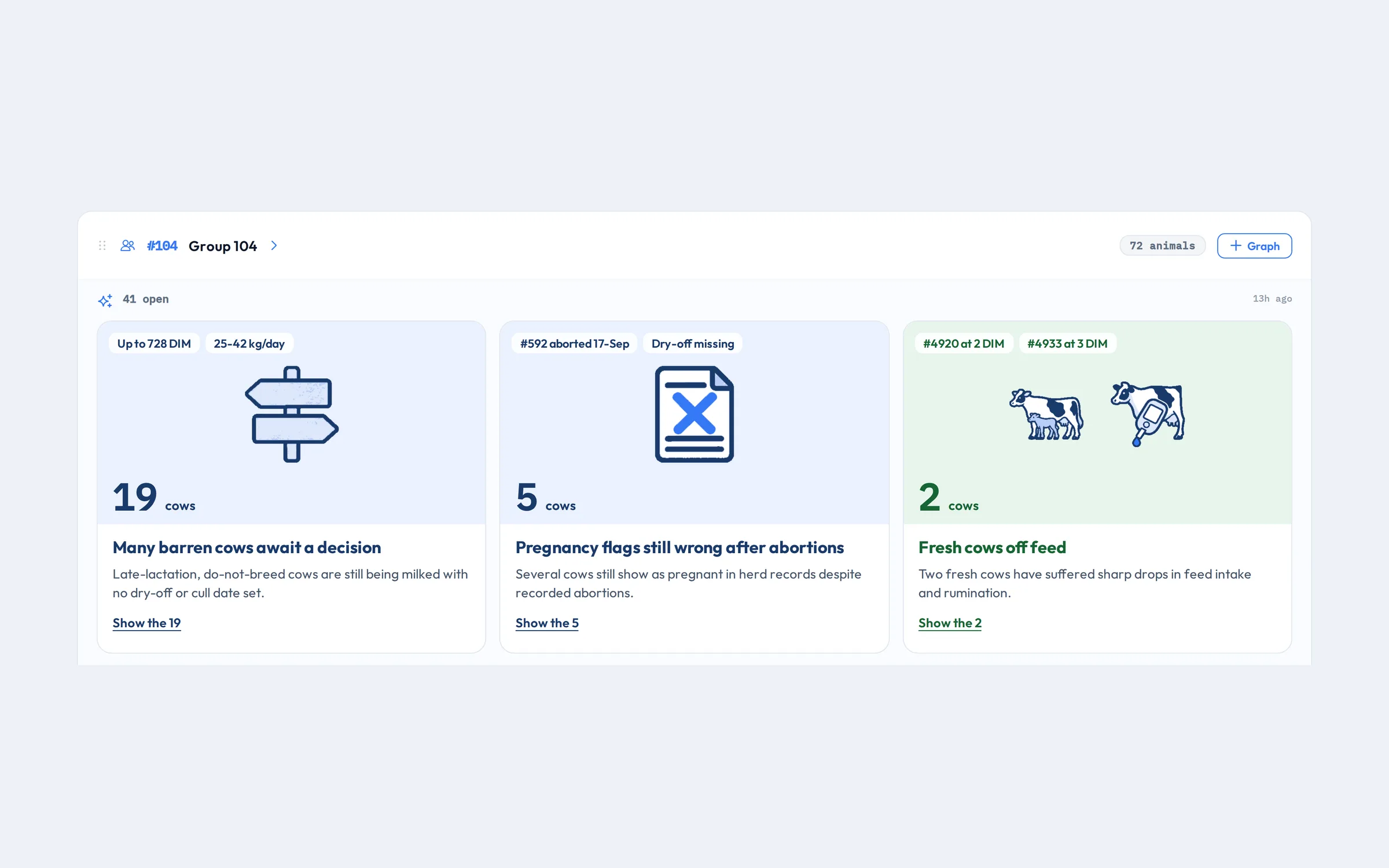
- CowIQ plans the dayJobs are placed on your teams and people, from night to evening. Plan the day again whenever the farm changes: anything a person set stays as it is.
- You stay in chargeMove a job to another team, person or time, and undo any move. Your teams and shifts are yours to set.
- Nothing falls throughA worker can give a job back with the reason, such as no time today, couldn't find her, or she needs the vet.
- Relief staff and visiting professionalsInvite a guest with a link that runs out: they see only what is put on them. Send cows to the vet's or hoof trimmer's list in one step.
The office and the barn
The CowIQ app
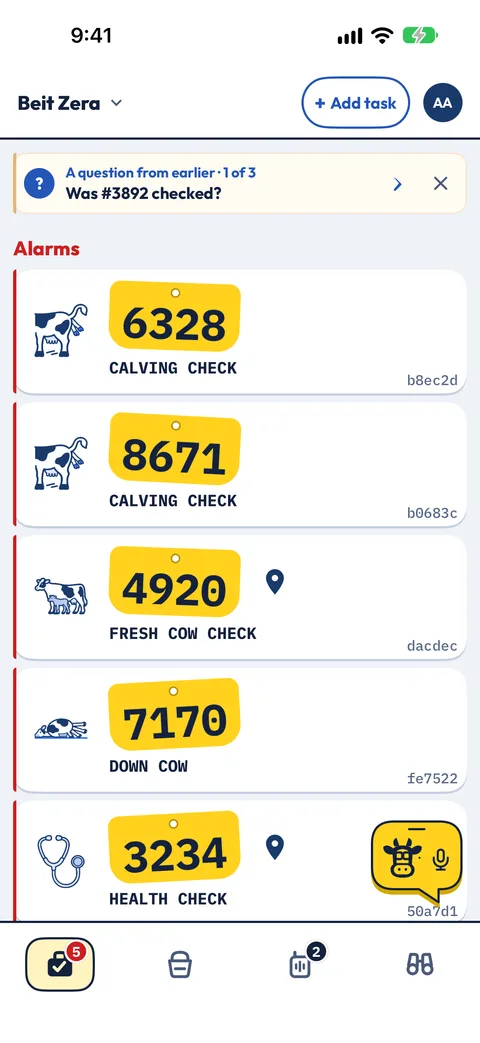
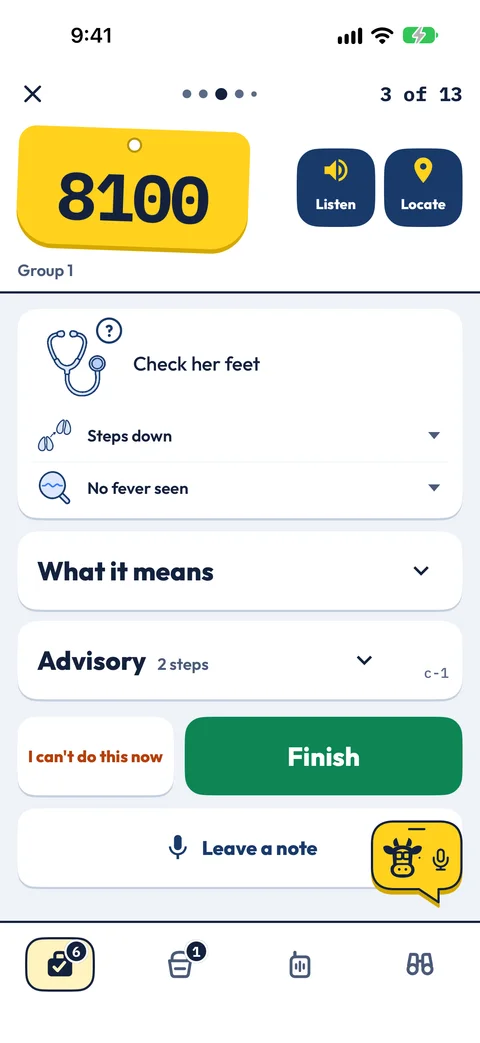
The manager plans the day on the board in ENGS Studio. Each worker carries their part in the CowIQ app: the same jobs, cards and advisory steps. What they finish, give back or note in the barn comes back to the board.
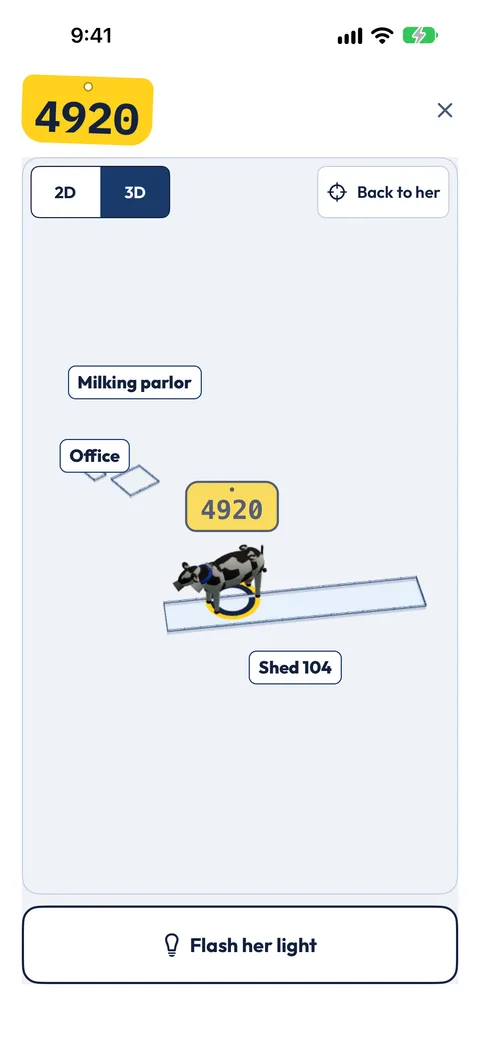
LocateWhere she was last heard on the barn plan. Flash the light on her collar to find her in the pen. 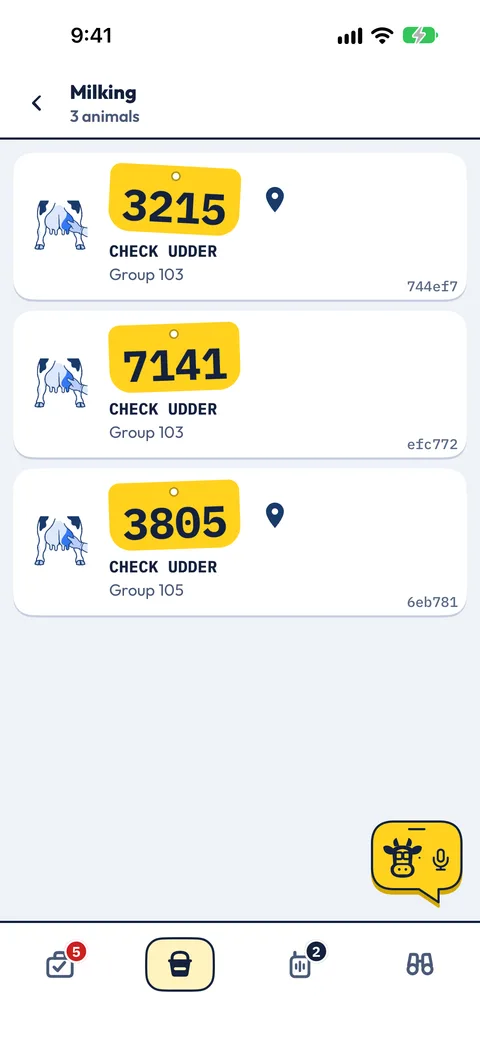
RoundsEvery cow in a round, such as milking, in one list. 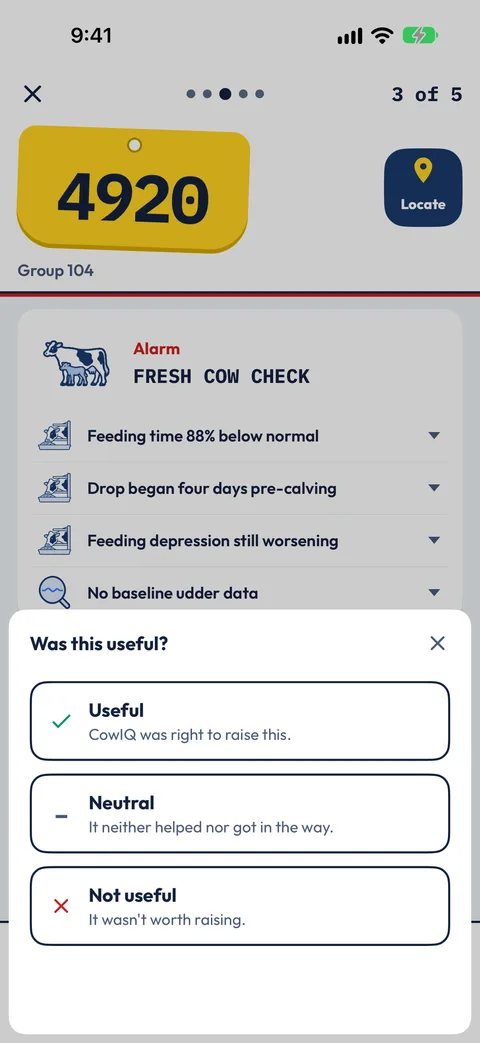
FinishOne tap after the job: was the card useful?
Screens from the CowIQ app for iPhone, from one farm. Sign in with an existing ENGS account; Locate needs the farm's location system.
An advisor beside every worker
Every job comes with its advisory steps. CowIQ guides the worker through it one question at a time, such as "Is she standing to be mounted?", "Score her locomotion" or "Call the vet?".
Each answer shows where it leads: to your decisions, to the next farm round, or a fresh look by CowIQ. When an answer belongs in the herd records, the worker confirms it and it is written to the farm system.

Hands-free
Talk to CowIQ. It talks back.
In the barn your hands are busy. CowIQ reads the work aloud and listens to questions and messages, so your hands can stay on the job.
ListenAny card read aloud, in your language. 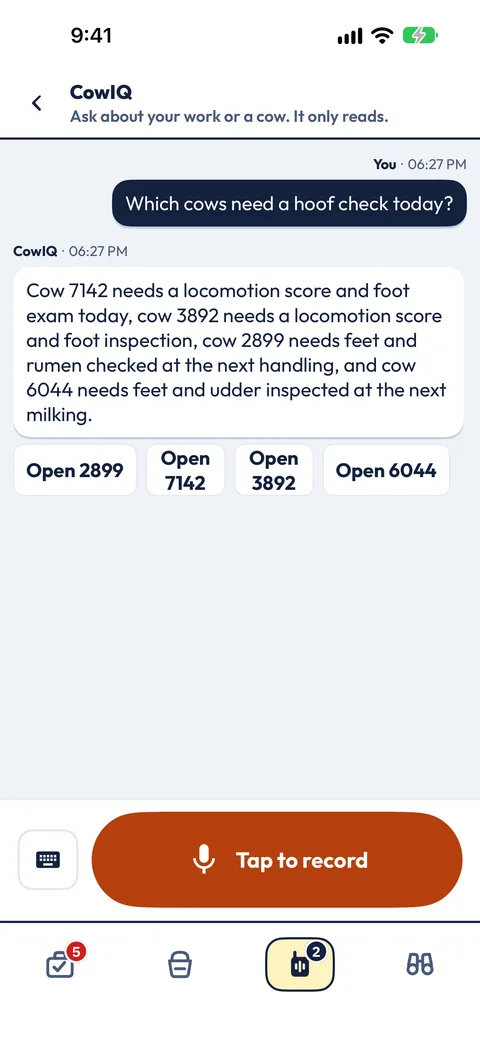
Ask CowIQHold the mic and ask. Open a cow straight from the answer. Asked by accident? Tap Stop. 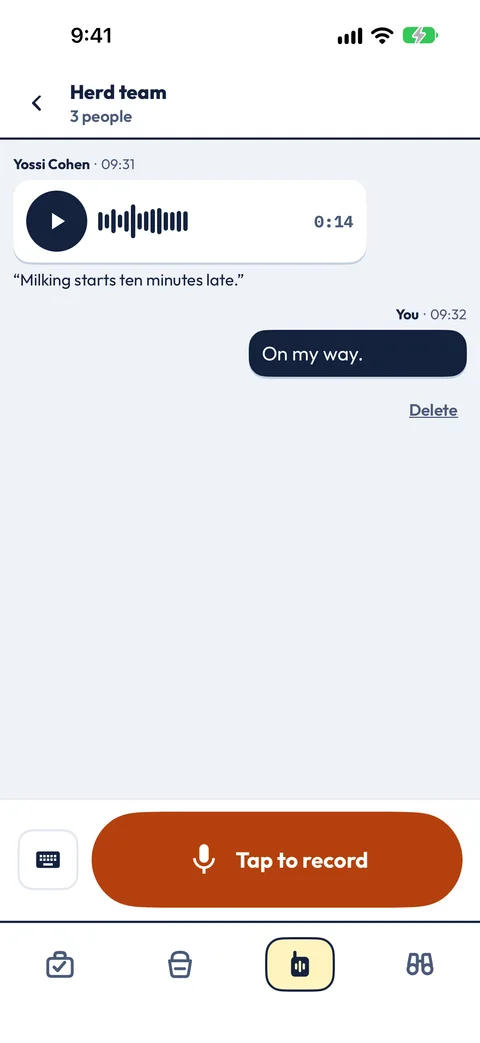
Voice messagesRecord a message to your farm or team. It arrives with its transcript.
CowIQ reads your farm's information; it doesn't carry out farm actions for you. Asking CowIQ works where the farm turns it on. Screens from the CowIQ app for iPhone; the card and the team chat use example data.
Languages
One team, many languages.
Each person chooses their own language. The manager plans in one, and every worker reads the same jobs, cards and advice in theirs, and hears them read aloud in it. A team can work in several languages at once.
- English
- Deutsch
- Français
- Español
- Español (Argentina)
- Italiano
- Português
- Nederlands
- Ελληνικά
- Български
- Čeština
- Magyar
- Polski
- Română
- Русский
- Türkçe
- O‘zbekcha
- עברית
- 한국어
- 简体中文
- 繁體中文
- Tiếng Việt
- ไทย
Groups
Every pen, read as a whole.
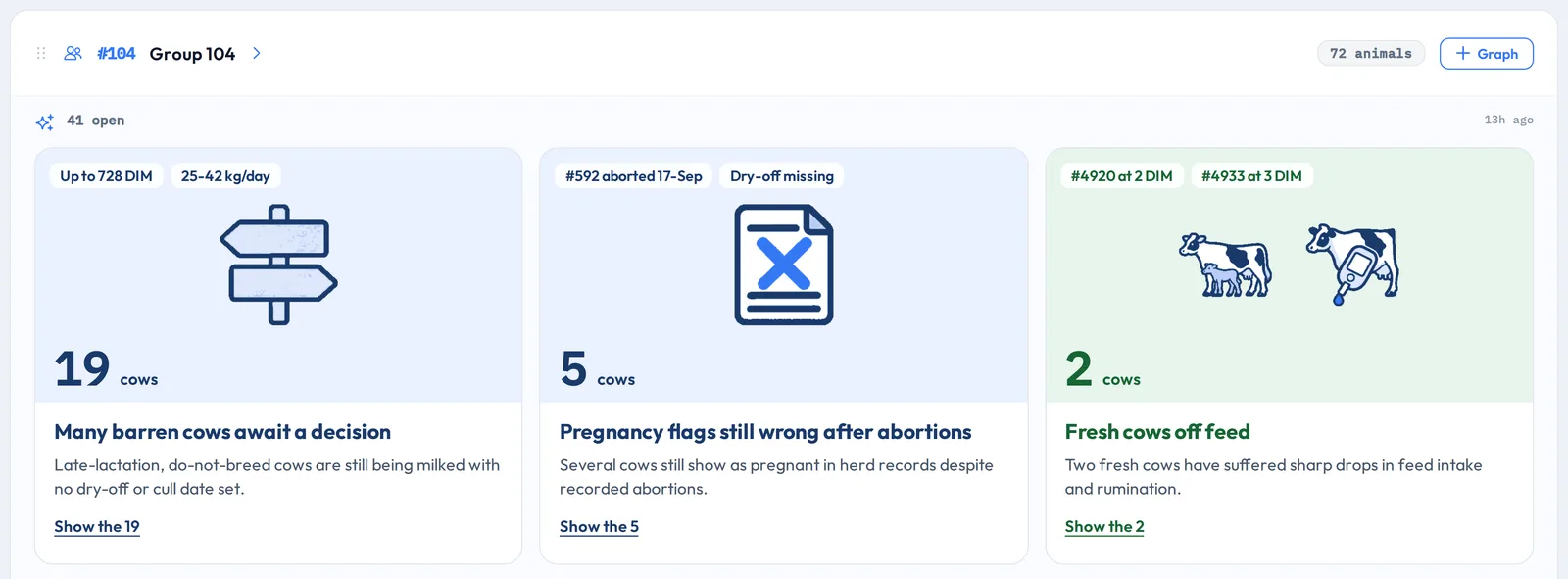
Some problems belong to the whole pen. On the Groups tab CowIQ names the patterns across a group's cows, such as high lying times and short strides, bred cows still waiting on a pregnancy check, or repeat breeders, with how many cows each touches and the jobs that follow.
Breeding, calving and decisions
From the next heat to the hard calls.
-
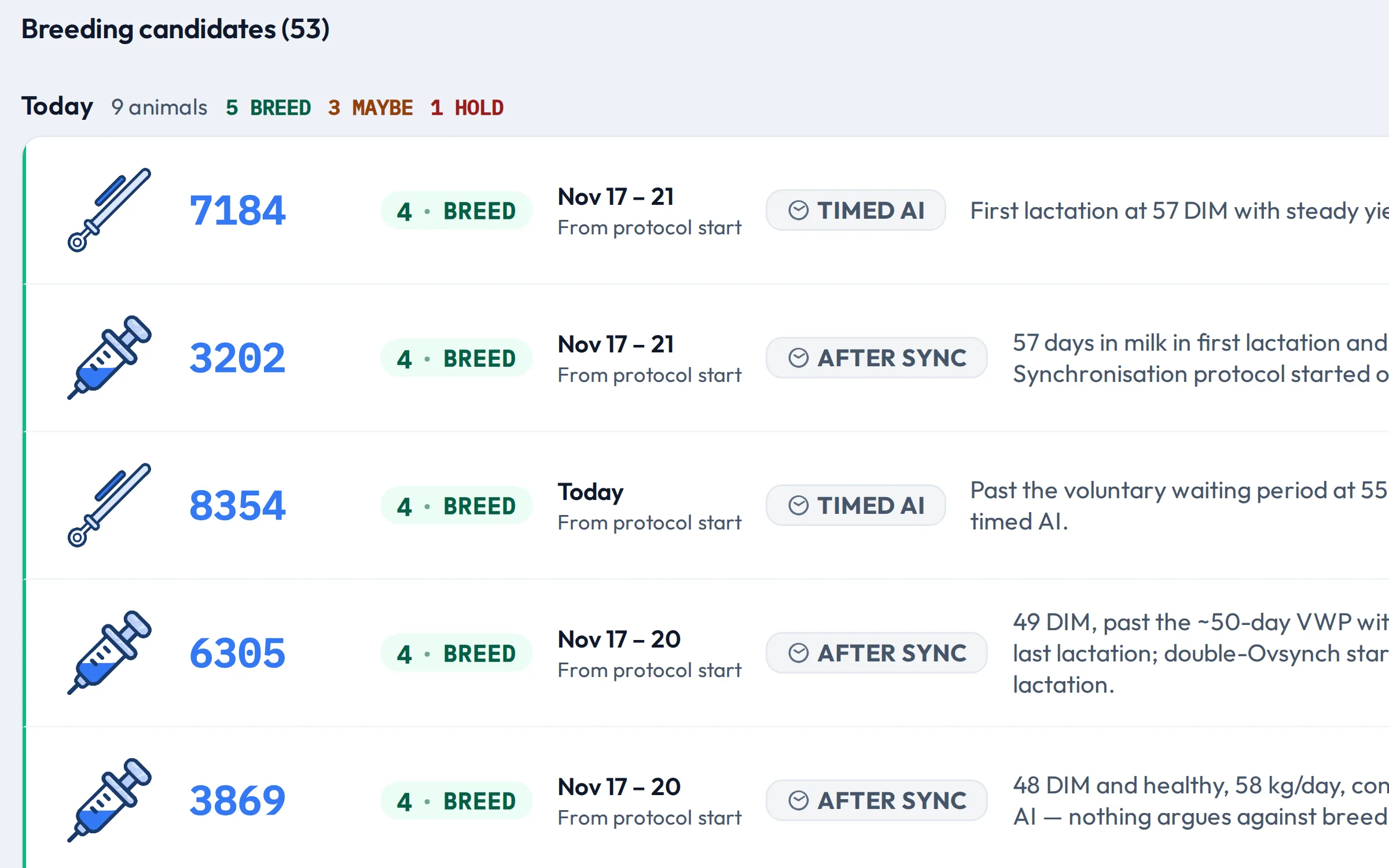
Who to breed, when, and why
Each day's breeding candidates, ranked: a score and a call, the window from her last heat, and the reason in one line, from her days in milk, yield, cycles and health.
-
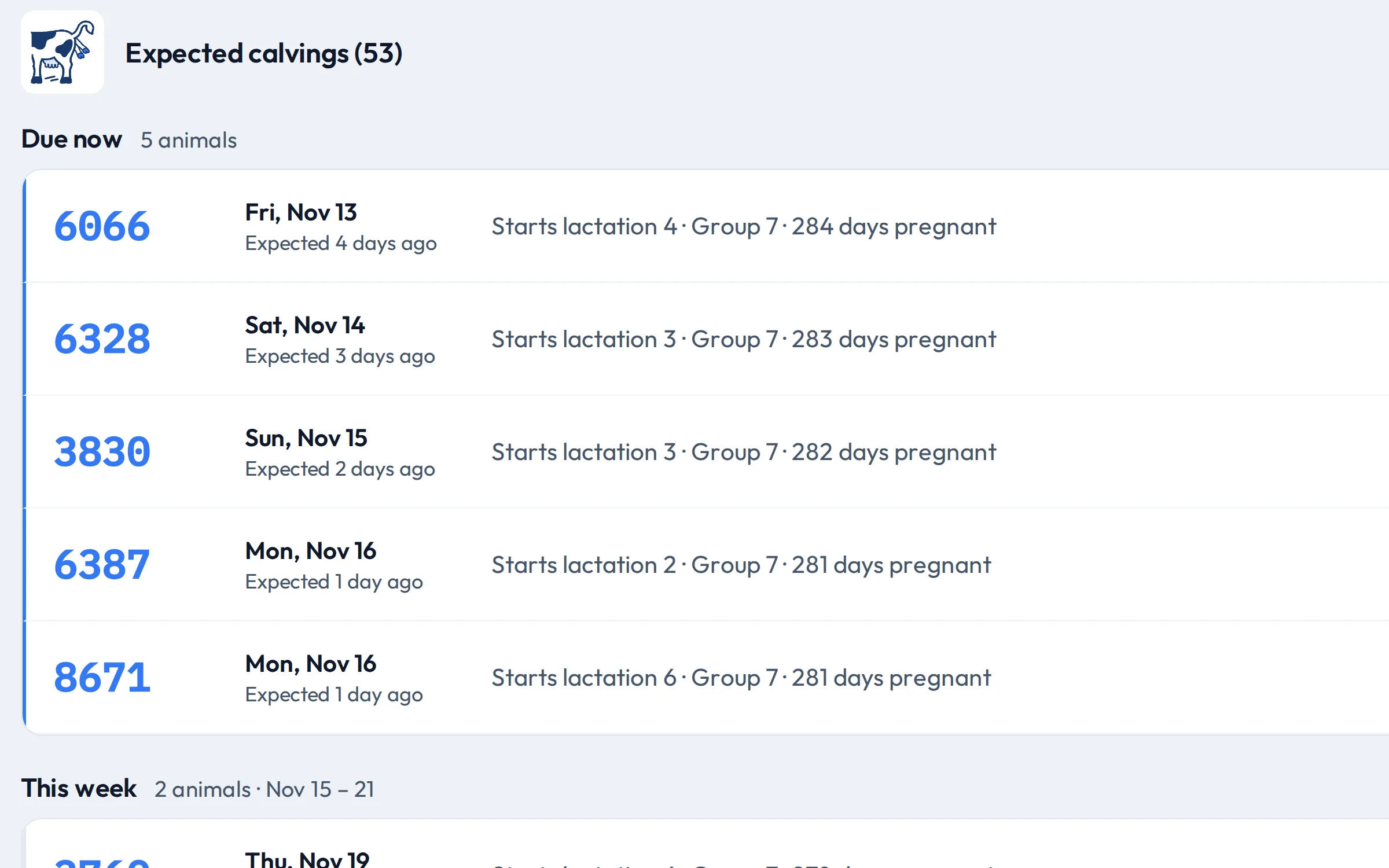
Who calves next
Expected calvings, due now, this week and next, each with the lactation she starts, her group and days pregnant. The cows CowIQ is watching carry its mark.
-
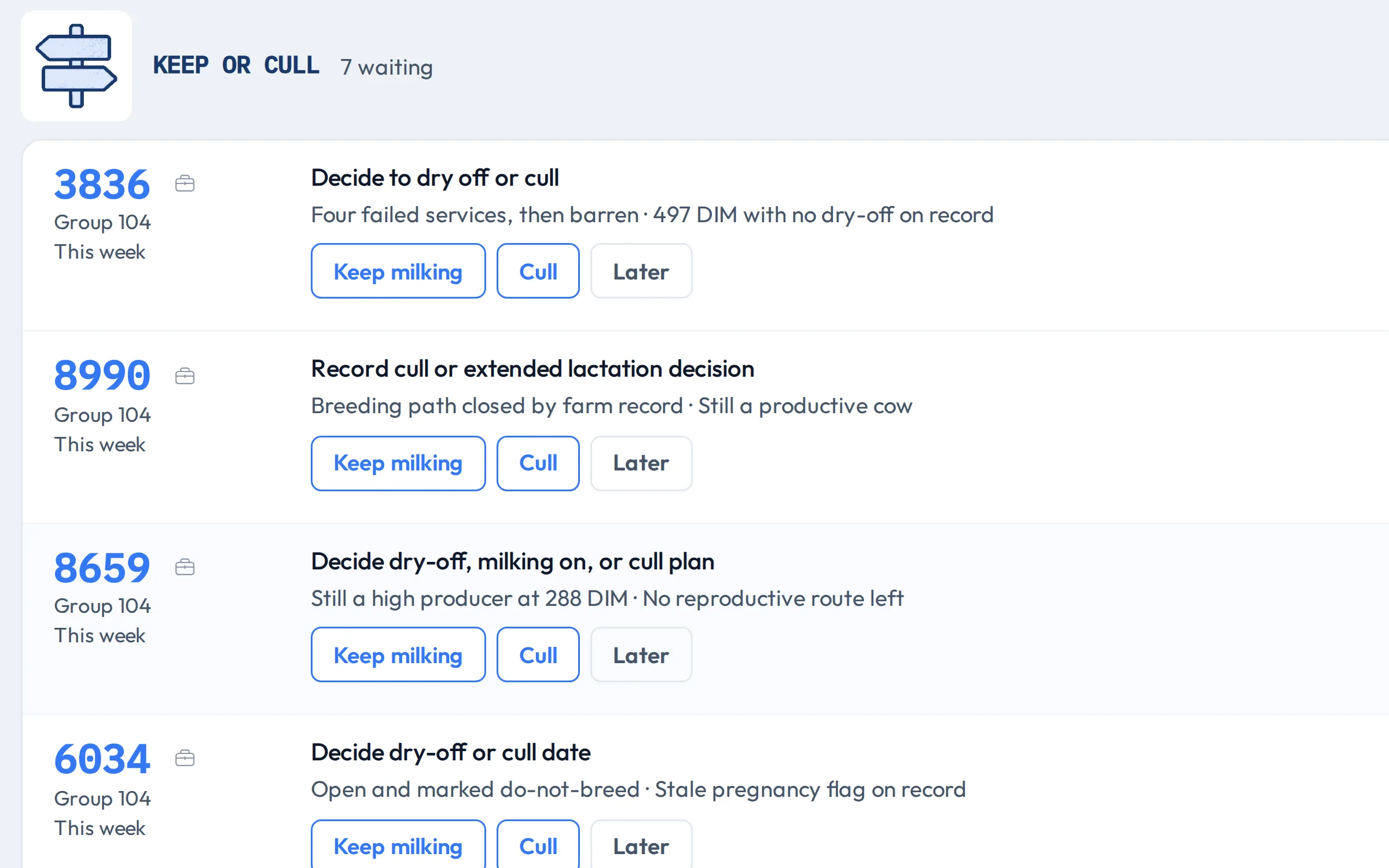
The calls that are yours
Keep or cull, keep or breed: the cows that need your decision, each with the reason. Choose keep milking, cull, breed again or later. Your choice is recorded in CowIQ; nothing is written to the farm system.
Is CowIQ available for my farm?
Yes: CowIQ is available to every ENGS customer. Ask us to activate it for your farm.